


White-Label IFC Viewer

Embeddable in your own web application
Adaptable to your brand

Integration

The viewer as a component of your product

Imported as an npm package, the viewer mounts into a simple DOM element, independent of the host application’s framework. Pass a container, mount and load a model. A minimal integration needs no more than that. Through the typed API and its config object, your application keeps full control throughout. Behind it is a complete SDK of three packages, from the ready-made viewer with its user interface, through the pure engine, to the backend converter.

Integration details

npm Packages

Viewer – complete viewer with all features and a ready-made user interface

Engine – pure engine for building your own interface from scratch

Converter – IFC-to-FRAG backend converter

Framework & dependencies

The viewer is framework-agnostic. React, Angular, Vue or vanilla JS, the viewer mounts into a simple DOM element.

There are no peer dependencies whatsoever. Every runtime dependency sits inside its own npm package.

API & config

The fully typed API controls the viewer programmatically, from loading models through selection and visibility to BCF topics and events.

A typed config object controls panels, units, language, theme and much more. Everything comes predefined and can be fine-tuned where needed.

Assets & self-hosting

For performance, the viewer uses assets based on Web Workers and WebAssembly, included in the npm package. These asset paths can optionally be adjusted in the config.

Security & privacy

Model data processing runs client-side. Optionally, models can be pre-converted from IFC to FRAG in your own backend. There is no connection whatsoever to crais servers or third parties. Regular security patches for the dependencies in use.

Support & updates

The feature set is continuously extended and improved. Support comes directly from the founder and development team.

Custom branding

The viewer as part of your brand

The embedded viewer becomes part of your product interface and therefore part of your brand. The entire interface is customisable, starting with the logo, through colours, surfaces and corner radius, all the way to the fonts. You make those adjustments precisely, through CSS custom properties and the config. The theming reaches all the way into the 3D scene, from the selection colour to the BCF pin, and in the end the viewer looks as if it had been developed in-house.

Branding details

Logo, colours & styling

Your own logo can be set in the config as an image URL. Without one, the viewer shows neutral icons.

The entire interface is defined via CSS custom properties, from the primary colour through surface and status colours to corner radius and fonts. The default values can be adjusted precisely. All viewer-specific styles are defined in their own namespace, so the host application stays untouched.

Light & dark theme

The theme can be set initially via the config. It is switched at runtime through the viewer interface or programmatically via the API.

3D scene

Customisation does not stop at the interface. Selection and hover colours, measurement annotations, section planes, BCF pins and the viewport background are configurable as well.

Multilingual

The interface is fully available in English and German. The language is initialised via the config and switched at runtime through the viewer settings or the API. Your own content, such as additional help entries, can be provided in multiple languages.

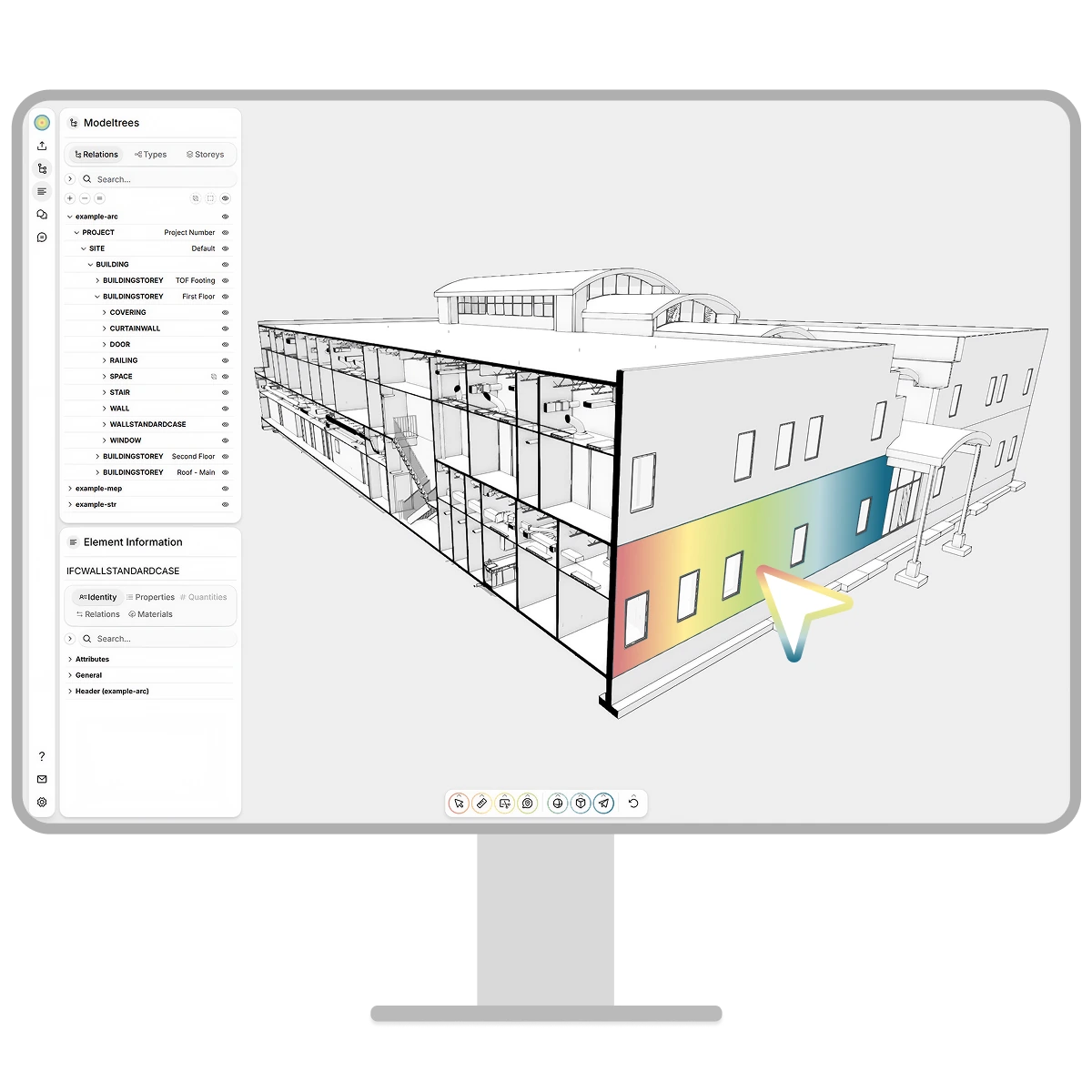
The crais Viewer on a monitor, tinted with a colour gradient

Live demo

Licensing models

Educational

For teaching, studying and research

BIM at the grassroots, where know-how is born.

  • Free use for projects at universities, schools and research institutions
  • Support for teachers and researchers, from founders with their own BIM teaching experience

Use cases:

  • Final theses, from diploma thesis to dissertation
  • Implementation in learning platforms and use in BIM courses
  • Research prototypes at the intersection of BIM, AI and software development
Request access

Growth

For startups and small businesses

Discounted conditions and shared visibility.

  • Fair licence costs that scale with your success, based on revenue
  • Mutual support in public relations
  • Direct support from the development team

Use cases:

  • Development of tools and platforms with BIM features
  • Proptech products
  • Internal tools where model data must not leave your own infrastructure
Grow together

Business

For established companies

One product, one price, full predictability.

  • Fixed monthly costs per product implementation, independent of the number of projects or users
  • Free trial implementation
  • Prioritised support from the development team

Use cases:

  • Implementation in CDEs and project platforms
  • Marketing and management of real estate portfolios
  • Internal tools connecting BIM with knowledge bases
Schedule a call

Interested in the White-Label IFC Viewer?

We're happy to talk through the viewer, the integration and your specific use case. No strings attached.

Technical details

Specifications

Supported IFC versionsIFC 2x3, IFC 4, IFC 4.3
Supported BCF versionsBCF 2.1, BCF 3.0
Supported file formats.ifc, .frag, .bcf, .bcfzip
Browser requirementsWebGL2, ES modules
Tech stackTypeScript, Three.js, ThatOpen Fragments, web-ifc, WebGL2

Reference – conversion & loading time

When first opened, IFC files are converted into the high-performance FRAG format. After conversion, file size and loading time are both reduced by roughly a factor of ten. Conversion time, loading time and the size reduction vary with the geometric complexity and the information content of the IFC file. The table below shows the actual measured values from one example setup.

Discipline modelIFC sizeFRAG sizeOpening IFC*Opening FRAG
Architecture13.0 MB1.6 MB25.3 s0.7 s
Structure19.4 MB0.7 MB2.5 s0.8 s
MEP125.8 MB12.7 MB24.7 s3.5 s
Entire project158.2 MB15.0 MB52.5 s5.0 s

*Opening and converting

Setup

Hardware: Microsoft Surface Pro 8 (2021), Intel Core i7-1185G7, 16 GB RAM, without a dedicated GPU

Reference models: buildingSMART Test Files: “Medical-Dental Clinic” project